Mac Os X 10.6 Snow Leopard Download
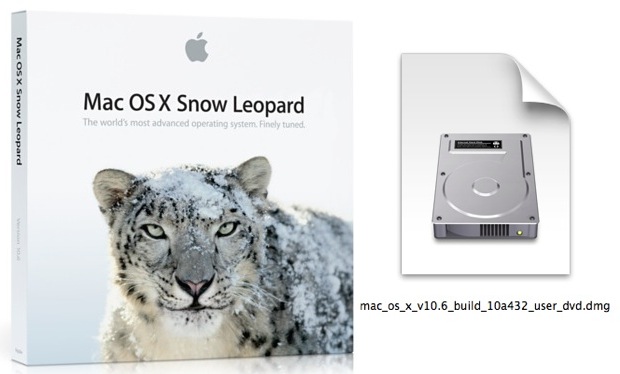
Mac users who take older hardware laying around which are unable to run modern versions of Mac Bone Ten may be relieved to discover that Mac OS X Snowfall Leopard (x.half dozen) and Mac Os X Leopard (10.v) are bachelor to download straight from Apple. These versions of Mac Os X are over half a decade outdated and are now unsupported, making them appropriate for advanced users and those who require specific legacy software support within a virtual surroundings or on appropriately anile Mac hardware.
Downloading these prior releases of Mac Bone X requires an appropriate Apple Developer login that you'd get with joining the Mac Developer program, and are otherwise inaccessible from free developer accounts or the general public. System requirements for legacy versions of Mac OS X ten.v Leopard and 10.six Snow Leopard are quite bones, and the releases run fine in virtual machines besides. We'll touch on install methods with links to appropriate tutorials in a moment.
Mac OS Ten Snow Leopard (x.6) and Mac OS X Leopard (ten.five) Direct Download Links
The following two deejay images are the complete installer DVD in DMG format. The downloads come directly from Apple, and crave an ADC login to access.
- Download Mac Os Ten 10.6 10a432 DVD image (straight link from Apple)
- Download Mac OS 10 10.five 9a581 DVD prototype (direct link from Apple)
Once yous become the dmg files yous can either burn down them to a DVD to brand an installer disc, create a Snow Leopard bootable install bulldoze from them, or run Snow Leopard inside a virtual auto similar VirtualBox or VMWare. The virtual machine arroyo continues to work with all mod versions of Os X, letting Snow Leopard run atop Mavericks and Yosemite.
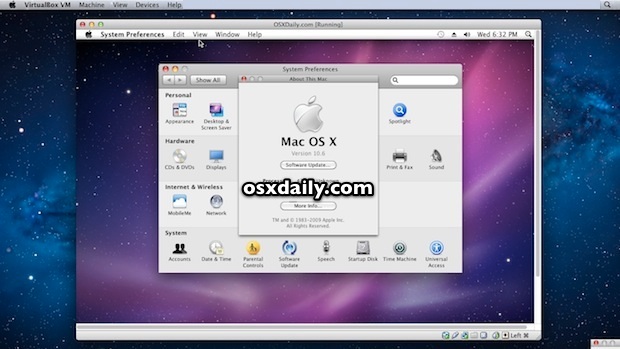
For running on native hardware, the organization requirements for Mac Bone X Snowfall Leopard are quite basic, including an Intel processor, 1GB of RAM, and 5GB of disk space.
It's very important to note that new Macs can non run Mac Bone X Snow Leopard. But older hardware can run older versions of Mac Os X in full general, attempting to install Snowfall Leopard on something like a new Retina MacBook Pro volition fail and is not worth attempting.
If you do download and install Mac OS X Snow Leopard, you lot can continue to obtain combo updates all the way through Mac Bone 10 10.half-dozen.8 through Apple Support, and they should all the same be available through the Software Update mechanism on the older Mac Bone 10 release as well.
I don't have an ADC Login merely notwithstanding want Mac Bone X Snow Leopard, what should I practice?
For Mac users without a membership to the Apple Programmer programme, paying the $99 annual fee makes to access the downloads makes little sense. Instead, y'all can still opt to buy a physical installer DVD of Mac OS X Snow Leopard from Apple for a price of around $twenty. Whether or not an one-time unsupported release of Mac Os X like Snowfall Leopard is worth $20 when all newer versions like Bone 10 Lion, OS X Mount Panthera leo, OS X Mavericks, and Bone X Yosemite are gratuitous and downloadable directly from the Mac App Store is debatable, but the onetime organisation software could be appropriate for certain environments where the newer releases of Mac Bone X are unsupported on specific Macs, or where a virtual machine of the older Os is required.
Thanks to @stroughtonsmith for pointing out the legacy software ADC links on Twitter.
Do you know another legitimate source to download and obtain Mac Bone 10 Snow Leopard? Share with united states of america in the comments below.
Mac Os X 10.6 Snow Leopard Download
Posted by: mcintyreextrany59.blogspot.com


0 Comments